

Migrating to a new CRM like HubSpot can help your business grow, but it's also one of the riskiest projects your team can undertake. Data loss, system downtime, confused team members, derailed workflows – these things happen during poorly planned migrations. And they derail growth faster than a bad CRM decision.
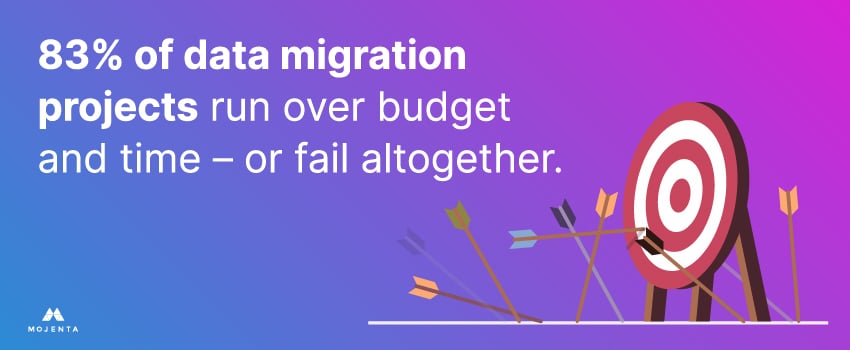
Gartner research has found that 83% of data migration projects either run over budget and time or fail altogether.1 That's where proper planning, execution, and the right partner make all the difference.
At Mojenta, we help B2B tech companies navigate every step of HubSpot CRM implementation. Whether you’re switching from Salesforce, Zoho, spreadsheets, or anything in between, this guide outlines proven strategies for a seamless HubSpot CRM migration.
Why Are B2B Businesses Switching to HubSpot?
Companies don't migrate CRMs for fun. They migrate because their current system isn't cutting it anymore.
HubSpot solves real problems. It unifies customer data so marketing, sales, and support teams aren't working from different versions of the truth. It offers flexible automation that lets you build lead scoring, lifecycle stages, and email workflows that match how your team actually works. And it scales with you. Whether you have two sales reps or two hundred, HubSpot grows without breaking.
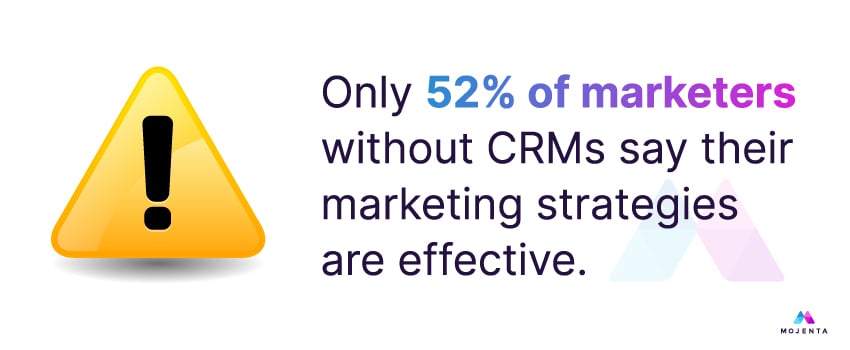
A whopping 87% of marketers using HubSpot CRM said it helped them create more effective marketing strategies, whereas only 52% of marketers who don’t have a CRM.2
But none of these benefits matter if your CRM migration goes wrong.
Common HubSpot CRM Migration Mistakes To Avoid
Failed CRM migrations all have something in common: predictable mistakes. We've seen too many companies slow down their HubSpot CRM implementation by:
- Migrating Messy Data: No amount of automation can fix data riddled with duplicates, blanks, and outdated records. Clean your data before migration, or you're just moving problems to a new system.
- Using a Generic Pipeline: Your sales process is unique to your business, and your pipeline should reflect that. If it doesn't, deals will get stuck in stages that don't match how you actually sell.
- Ignoring User Roles: Without proper permissions, users can accidentally overwrite or delete valuable data. You need to think through who needs access to what information.
- Automating Too Early: Automated workflows are powerful, but only after your system and users are stabilized. If you automate before your team understands the system, you'll just create confusion.
- Underestimating the Effort Required: CRM migrations should include data cleaning, field mapping, testing, training, and ongoing support. If you treat it like a quick project, you’re bound to go over budget or past schedule.
Not sure where to start? Mojenta’s HubSpot CRM migration services include a full system audit and setup tailored to how your teams work.
HubSpot CRM Migration Checklist: A Step-by-Step Guide
Every successful martech data migration follows a playbook. Here’s the HubSpot CRM migration checklist we use to streamline the transition:
1. Define Goals for HubSpot CRM Implementation
Start with clarity. Is your goal to unify your sales and marketing teams? Streamline reporting? Improve lead handoff? The clearer your goals, the easier it’ll be to design your HubSpot CRM setup to support them.
Ask project stakeholders to determine the pain points they want to solve with the migration. Who will use the CRM day-to-day? Make sure to include them in the planning process. What metrics will define success? The answers here will shape everything from how you structure your sales and marketing pipelines to which automations you build first.
2. Audit and Clean Your Existing Data
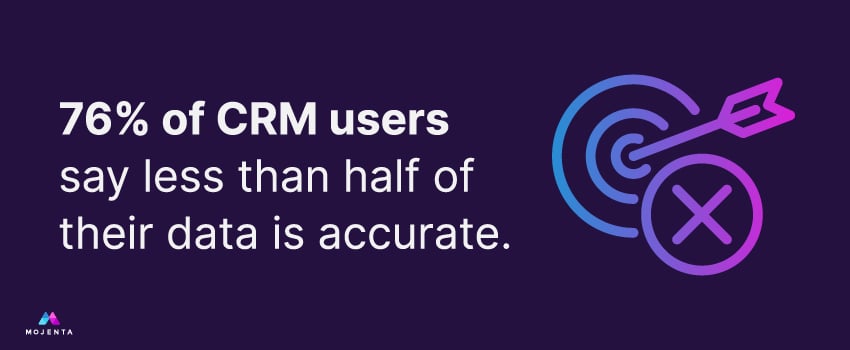
Before you even think about migrating, you need to clean house. Bad data in results in bad data out. Case in point: 76% of CRM users said less than half of their data is accurate in a 2025 survey.3
Make sure to:
- Remove duplicates and outdated contacts
- Standardize naming conventions (e.g., job titles, industries)
- Ensure key fields like emails, phone numbers, and company names are populated correctly
- Segment your contact lists for easier importing and nurturing
This step also helps reduce the volume of data you need to migrate – saving time and cost.
3. Map Fields Between Your Old CRM and HubSpot
HubSpot has its own data structure and terminology. If you don't map the fields correctly, your data will end up in the wrong places.
You’ll need to match standard fields like “First Name” and “Email” exactly. Identify any multi-object relationships, such as contacts tied to companies or deals, and create custom properties in HubSpot for any non-standard fields you want to keep. Remember to document this mapping so nothing gets lost in translation.
At Mojenta, we build a full mapping document as part of our HubSpot CRM migration services to prevent misalignment and data loss.
4. Choose the Right HubSpot CRM Migration Service
You have three main options for executing your migration:
- DIY it using HubSpot’s import tool
- Use a third-party tool like Import2 or Trujay
- Work with a HubSpot Solutions Partner (like us)
For basic migrations, the built-in importer might be enough. But if you're migrating from another CRM or combining data from multiple systems, working with an expert saves you time and headaches.
5. Run a Test Migration
Don't go live without testing first. A test migration helps you validate data mapping, catch formatting errors, understand how records will look in HubSpot, and identify which automations might break.
Including at least one test run in your CRM migration HubSpot plan – ideally with a representative data sample across your contacts, companies, deals, and notes – is the best way to fix mistakes before they can affect your operations.
6. Finalize Your HubSpot CRM Setup
Once you’re confident in your data structure, you can configure HubSpot. Some setup tasks you’ll need to complete include:
- Creating deal stages and customizing your pipelines
- Assigning user roles and permissions
- Building lists and views for sales and marketing teams
- Setting up integrations with email, calendars, or ERP systems
- Connecting any forms and lead capture tools
This step should also include HubSpot CRM optimization work. Align the system with your actual sales process, and build automations that will actually help your team work faster.
7. Migrate Your Data
Now that your prep is complete, it’s time for the main event: full data migration. Use your migration tool or partner to pull in your clean, structured data. Then check that everything arrived as expected.
8. Validate Your HubSpot CRM Data Migration
After migration, conduct a thorough audit of your CRM data. Do this by:
- Spot-checking records for accuracy
- Verifying property values and formatting
- Confirming ownership and assignment rules
- Ensuring email and phone data is usable
- Testing report filters and automation triggers
Something always slips through if you're not careful, which is why our HubSpot CRM migration checklist includes both automated validations and manual reviews by the Mojenta team.
9. Train Your Teams
Even the best CRM won’t help if your team doesn’t use it.
Your HubSpot CRM users' email list should include everyone who will need training and support using the new system. We recommend creating short, role-based training modules for your sales reps, marketers, and leadership.
Make sure you’re not providing a generic overview for all your teams, since they’ll need to use the system differently. Sales reps need to know how to create and update deals, use sequences, and track activities, while marketers need to understand list building and workflows. Meanwhile, your leadership team will need to know how to build reports and dashboards.
10. Monitor and Optimize Post-Migration
HubSpot CRM implementation doesn’t stop after the migration. In fact, that’s when the real value starts. Optimize your new CRM setup by:
- Reviewing adoption weekly for the first 30–60 days
- Adjusting workflows based on real user behavior
- Refining your lifecycle stages, lead scoring, and pipeline logic
- Adding automation to reduce manual data entry
If you’re not a HubSpot expert yet, that’s okay. As part of our HubSpot CRM optimization services, we stay involved well after go-live to ensure your CRM keeps driving ROI.
Let’s Make Your HubSpot CRM Migration a Success
If you’re switching CRMs, a smooth migration is your first step to growth.
At Mojenta, we combine strategy, execution, and optimization to help B2B tech companies turn their CRM into a revenue engine. We’ve migrated and optimized HubSpot implementations for dozens of B2B tech clients – from MSPs and telecoms to SaaS and IT services providers.
We know what B2B tech teams actually need from their CRM. We’ll align your CRM with your lead generation goals and follow a proven process so nothing gets missed. Plus, we’re with you for the long haul with ongoing optimization, training, reporting, and automation support.
Ready to start your HubSpot CRM migration? Get in touch with our team.
Sources:


/mojenta-feat-CRMforMSPs.jpg)